Appearance
Creating a prep recipe
Now that DigiChef has created your Products by importing your invoices, along with their associated unit costs, you're ready to build your first recipe, which is the ticket to better understanding your food costs!
Within DigiChef, there are two types of Recipes: Plating, and Prep.
- A Plating recipe is an item that shows up on your menu. They're sold as a single unit, and have an associated menu price which allows DigiChef to calculate your food cost, e.g.: Your Beef Tacos, or Spaghetti Bolognese.
- A Prep recipe is something that is consumed by another recipe. They're typically made in batches, and potentially used by multiple Plating recipes, e.g.: Beef taco mix, bolognese sauce, or burger patties.
Example Recipe
For this example, we'll be creating a Prep Recipe ingredient for tomato slices which we'll use to build out a simple BLT Sandwich plating recipe:
- 2 slices of bread
- 3 slices of bacon
- 2 slices of tomato
- 1/8 of a lettuce
- 2 oz of mayonaise
Because we typically buy tomatoes by a the case (e.g.: 25 per case), we can use a fraction of a unit, e.g.: 1/16th of a tomato; however, in this example, because we prep tomato slices in bulk (which could be used by multiple different recipes) we'll create a prep recipe that accounts for the total number of slices we get from a prepped tomato.
TIP
By creating a prep recipe for the tomato slices instead of using the tomatoes directly in our plating recipe, it allows us to track our prepped ingredients and quickly make adjustments to many plating recipes at once if we decide to change our brand or type of tomatoes in the future.
Input basic recipe information
- Navigate to the Prep Recipes Overview page.
- Click Create.
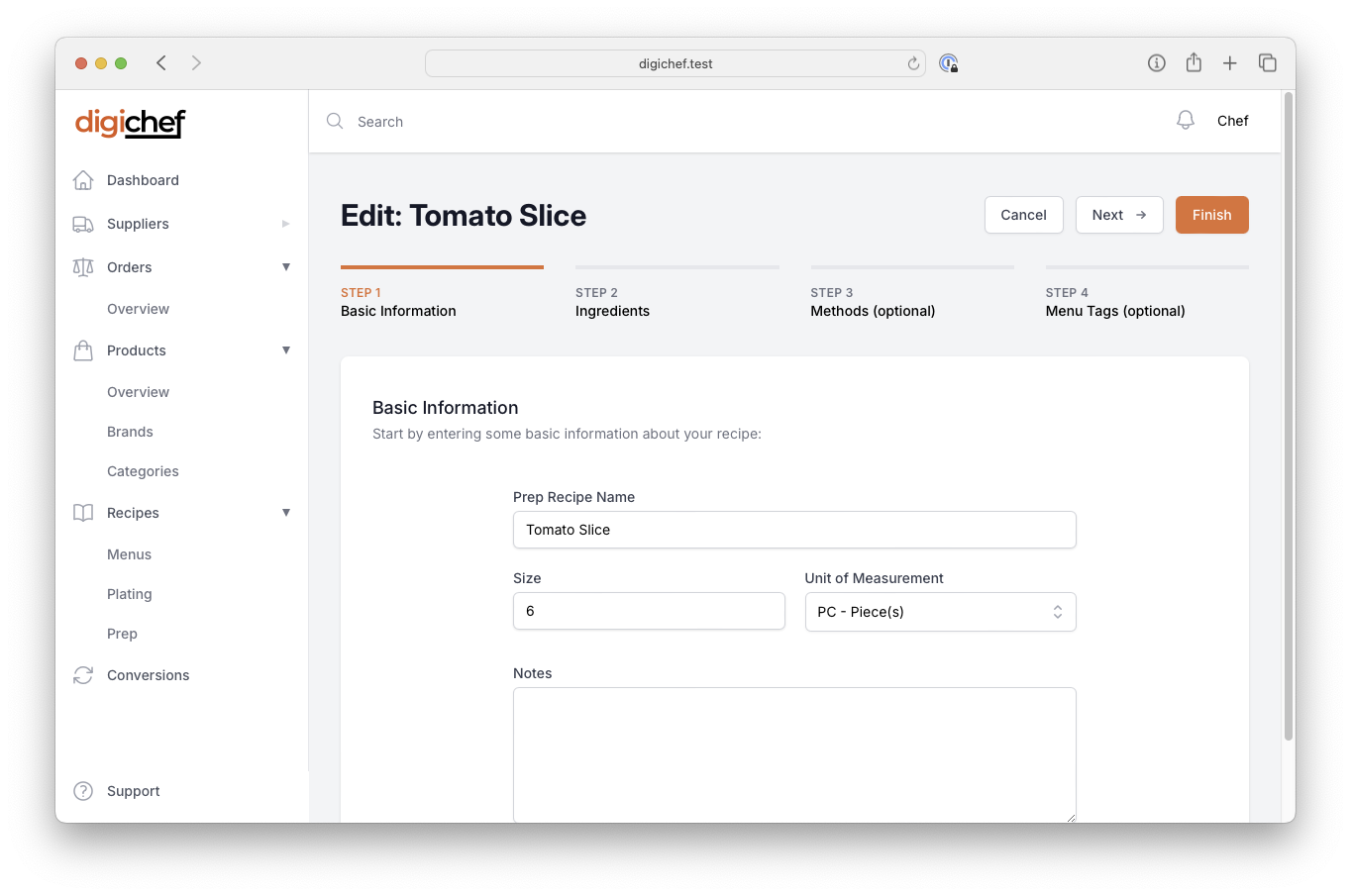
- Enter your basic recipe information, such as name, e.g.: Tomato Slices.
- Enter the prep recipe's Size, and Unit of Measurement. This is the total yield for the batch that this prep recipe will create.
INFO
For example, if your gravy recipe yields 4 litres, enter size of 4, and select Litres from the Unit of Measurement dropdown.
- Click Next.